The goal of the training is for the animals to learn to turn around when they hear the sound signals. We recommend setting aside 1 week for the training period, both for you and for your animals. The training phase is about helping the animals understand the system, learning how to use the app, as well as ensuring that the collar is fitted correctly.
Setting up the training fence
The entire training period should take place within a physically fenced area. The animals’ training area should not be too small or too large (for example, about 50 × 50 meters for training 10 animals). The fence should support good animal welfare (not too crowded), while also allowing for frequent interactions with the fence (not too large).
Make sure there is enough feed and water in the area for a full week.
Draw a virtual fence in the app 2–5 meters inside the physical fence. Wait to add the animals to the fence in the app.
Phase 1: Adaptation Phase
🕑 Duration: 1 day
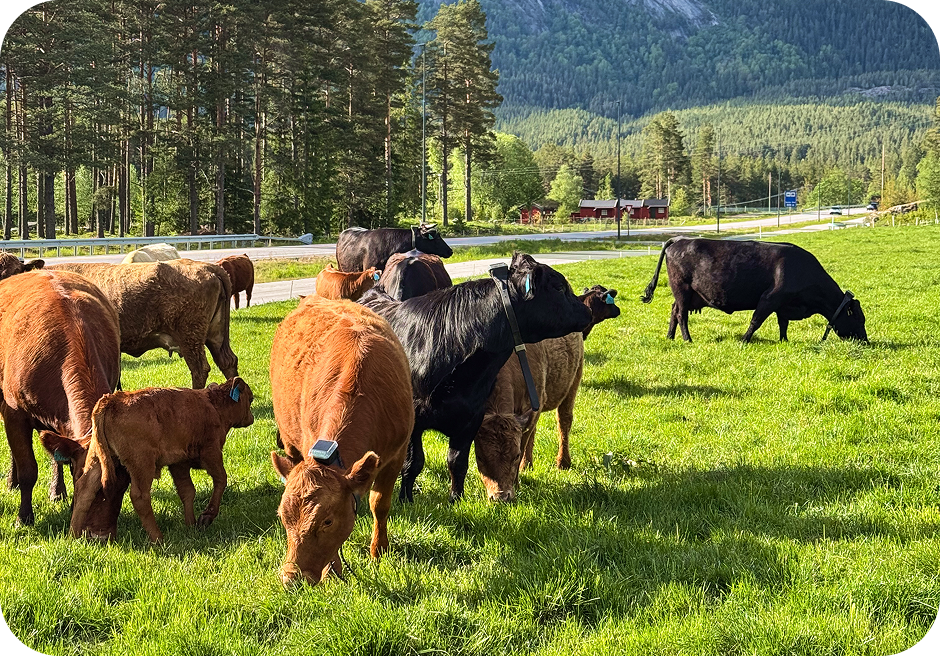
Move your animals physically to the training area.
This is the phase where you allow the animals to get used to wearing the collar and to the area where they will be trained. Remember that the virtual fence should not be activated yet.
You and your herd are ready for the next step when the animals are comfortable wearing the collar and the herd is calm.
Phase 2: Exposure Phase
🕑 Duration: 2 days
You can now add the animals to the training fence you drew in the app.
In this phase, it is important that the animals become familiar with how the virtual fence works. We want many interactions with the virtual fence.
It is important to remember that some animals will be more curious and proactive than others. Therefore, it is important to check in the app that all animals have heard the sound and experienced the pulse.
Animals not understanding the system
If you notice that certain animals are struggling to understand the system, we recommend removing them from the herd during training so they don’t hinder the progress of the animals that do understand the system. These animals can be reintroduced to the herd later on, allowing them to learn from the others.
Phase 3: The Control Phase
🕑 Duration: 4 days
When the number of pulses has decreased, you can move the virtual fence boundary in the app to increase interactions again. Preferably move it in from one side at a time.
It is important to challenge them as they gradually learn where the boundaries are.
Finally, remove all physical fences so that the animals rely only on the sound signal from the collars.
When is the training complete?
A good way to check if the training is going in the right direction is by observing that the number of shocks decreases towards the end of the training period. However, if you move the virtual fence boundaries during training, you will most likely see an increase in both sound signals and shocks. This is completely normal!
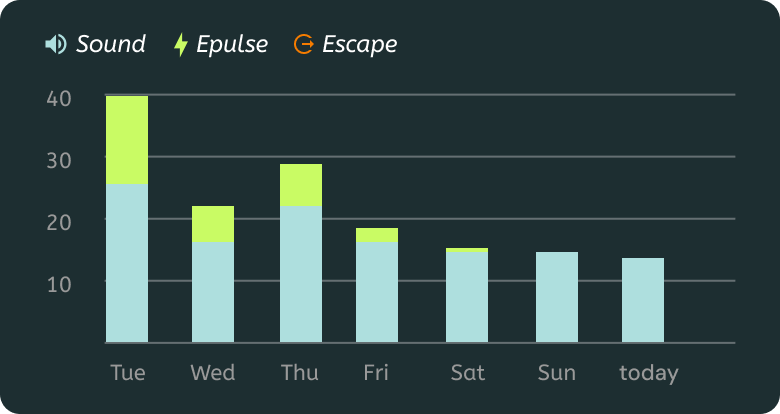
The time needed to train the animals varies from herd to herd. Some animals will learn the system very quickly, especially if they have used similar systems before.
A virtual fence does not replace monitoring
Remember that virtual fences are not a hard boundary, and you must account for GNSS signal errors and maintain a good distance from areas where you don't want the animals to go. It is still important to keep an eye on the animals and observe how they interact with the fence, as there will always be things outside the boundary that may cause the animals to ignore it.
Once the animals are fully trained, they can be transferred from the training area to the virtual pastures.
