Moving animals to virtual fences
When moving animals to a virtual fence, you can choose whether to assign the animals to the fence in the app before or after moving them physically. Animals will not receive sound signals or pulses from the collar when entering a fence.
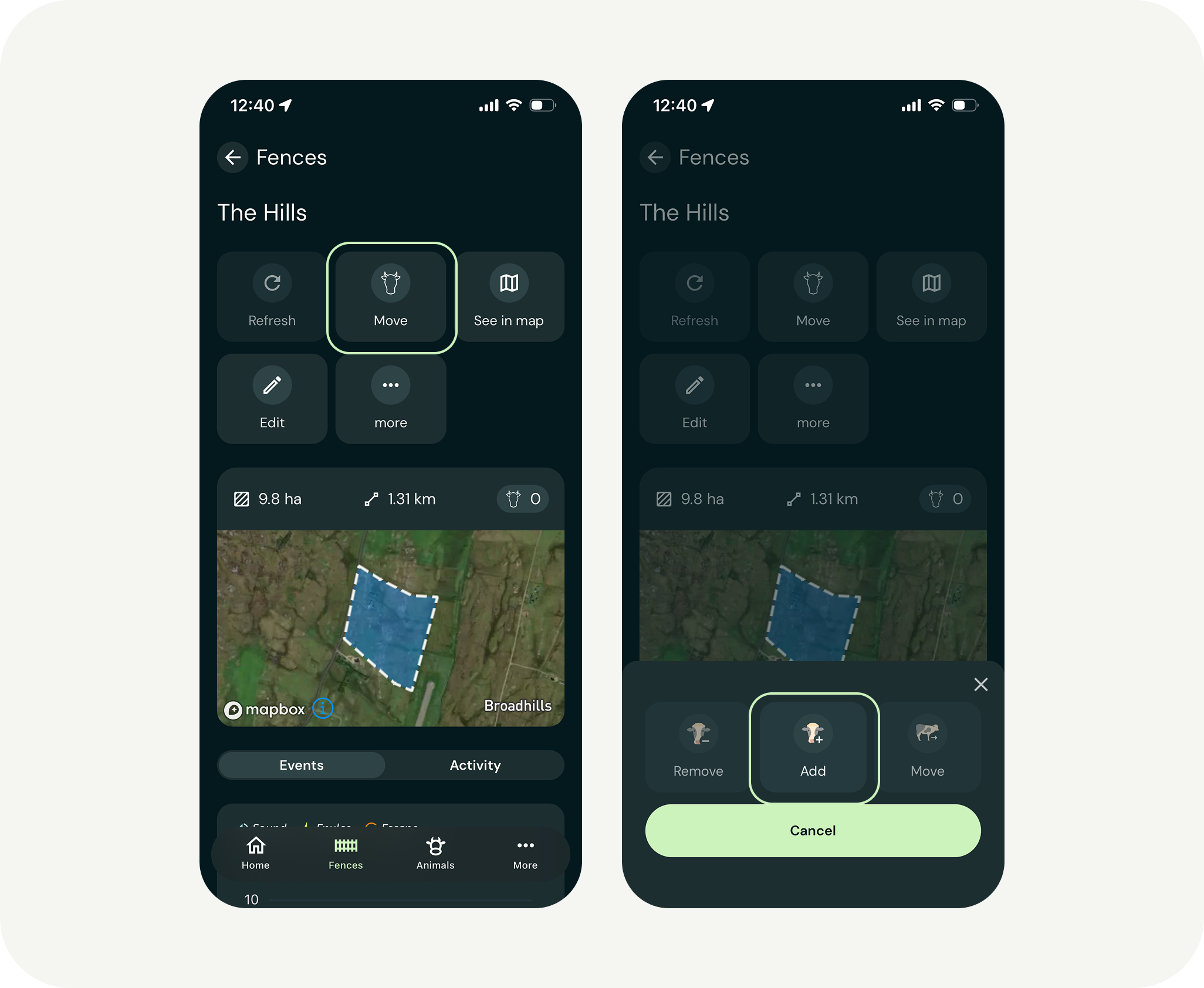
After drawing the virtual fence in the app, open the specific fence and tap “Move.” You will see the following options:
- Remove
- Add
- Move
Tap “Add” and select the animals you want to assign to the fence.
If the animals are not physically inside the fence when you assign them in the app, they will appear as red dots on the map (outside the fence).
Once you move them inside the boundary, the dots will turn green (inside the fence).
Moving animals from virtual fences
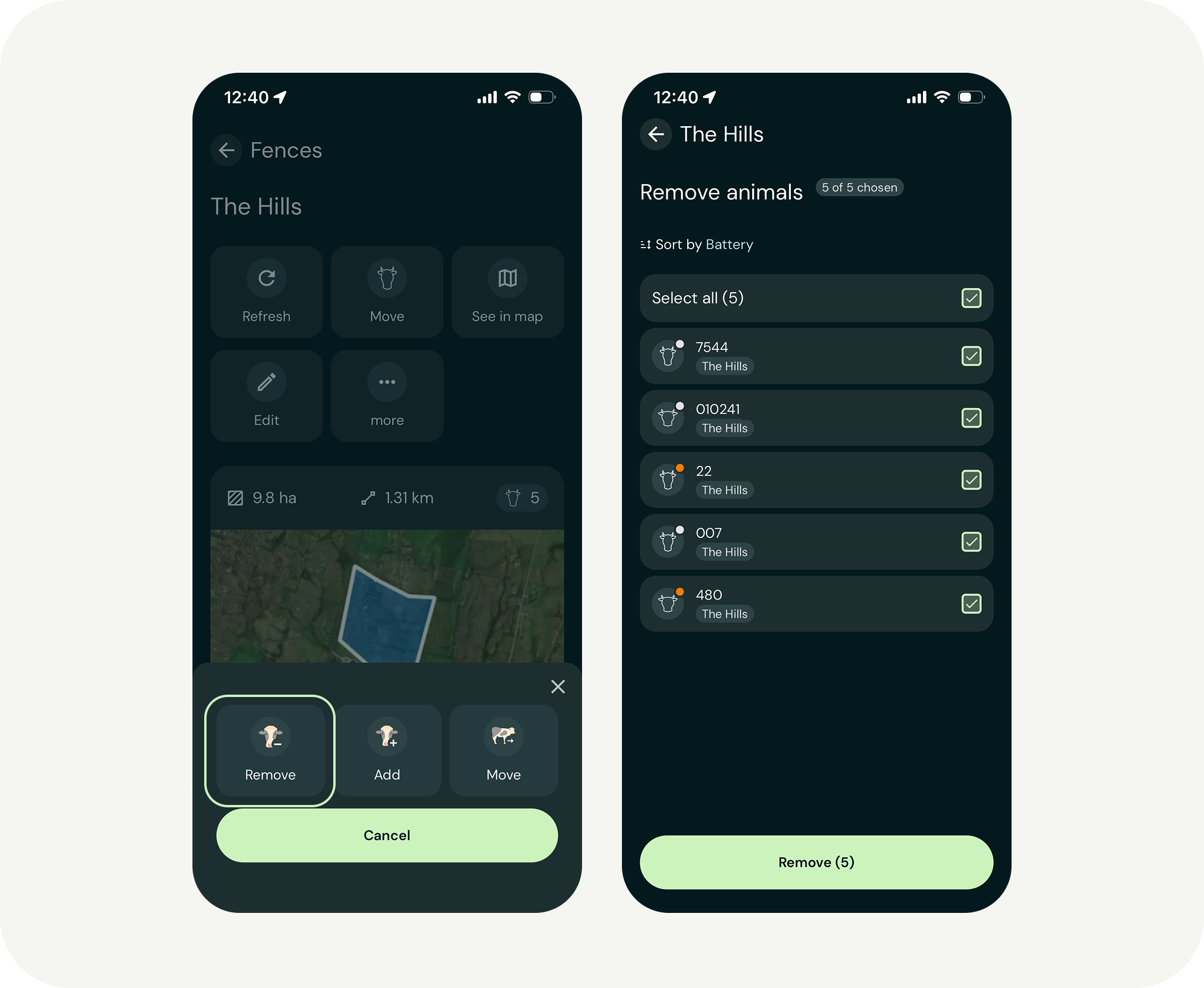
When moving animals from one pasture to another, or solely removing them from a pasture, it is important that the animals are no longer assigned to the fence in the app. If you move the animals physically while the virtual fence is still active, the collar will react the same way as during an escape: with sound signals and pulses.
To ensure a calm move without unnecessary signals, you must deactivate the fence in the app before moving the animals.
You can deactivate the fence by removing the animals from the fence in the app, or by moving them directly to a new fence.
Transporting animals in trailers
If animals are transported in a vehicle or trailer, the roof may block satellite signals (GNSS) or cause GPS drift.
Deactivate the fence before loading: Remove the animals from the virtual fence in the app well before the animals enter the trailer.
Reactivating at the new pasture: Wait to activate the new fence (add animals to it in the app) until the animals have left the trailer and have been under open sky for a few minutes. This allows the collar find its position before the fence function becomes active at the new location (green dot on the map in the app).
Moving animals through dense vegetation
If the route passes through areas with very dense tree cover or deep valleys, the GPS signal may become unreliable.
Remove animals from the fence in the app before the move: If you need to drive animals through dense forest where they do not normally graze, it is safest to deactivate the fence before the move. This prevents animals from receiving incorrect signals if the collar temporarily loses positioning accuracy due to the dense trees.