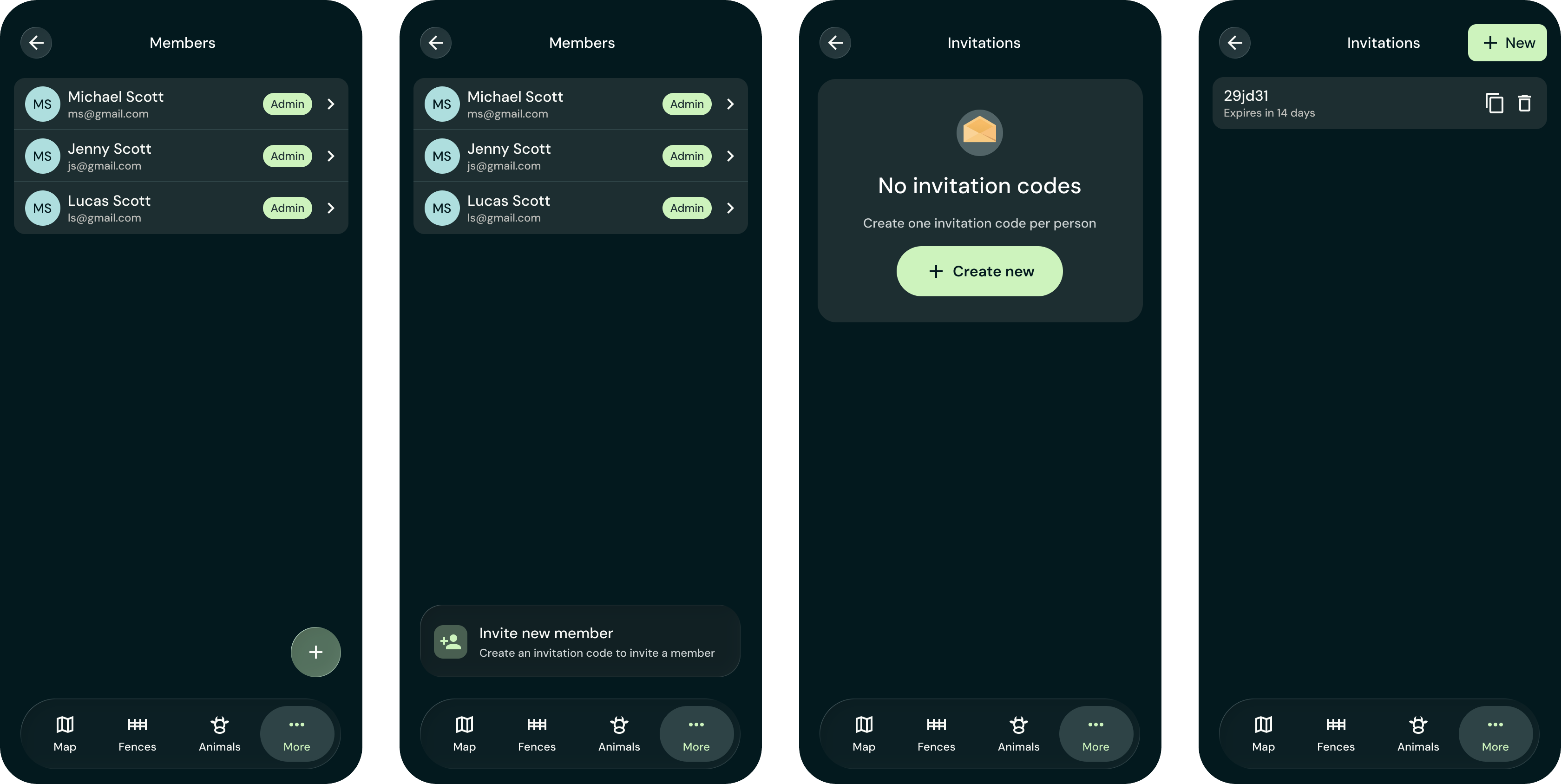
Here's how to invite someone to your organisation:
- Tap "More" at the bottom right of the app.
- Then tap "Members".
- Tap "+" and then "Invite".
- Tap “+ Create new”.
- Share the invitation code with the person you want to give access to your organisation.
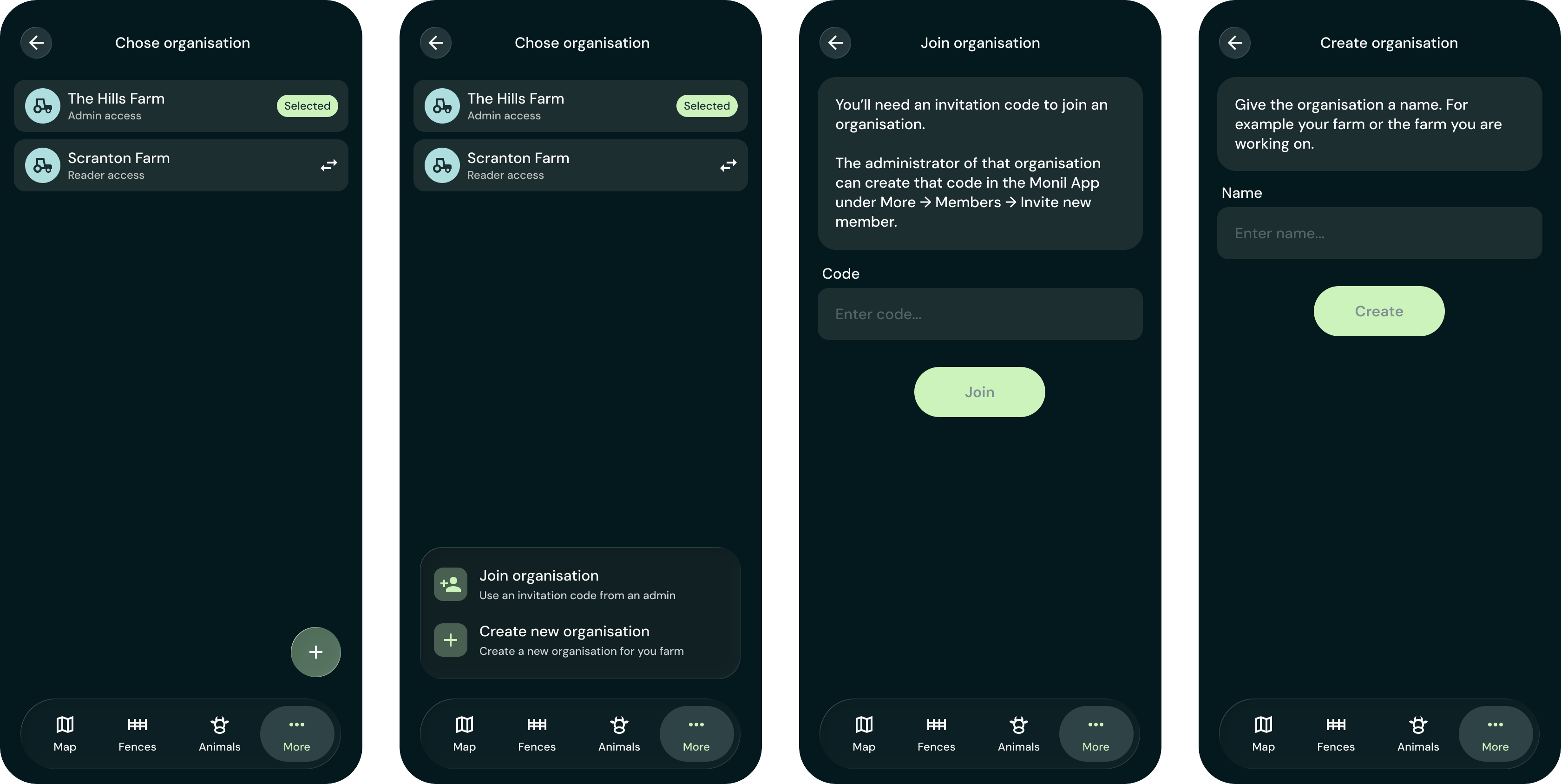
Here's what to do if you are invited to an organisation:
- Download the Monil app and create your own user account.
- Open the app and tap More → Choose organisation. Tap + in the bottom right corner, select Join organisation and enter the invitation code.
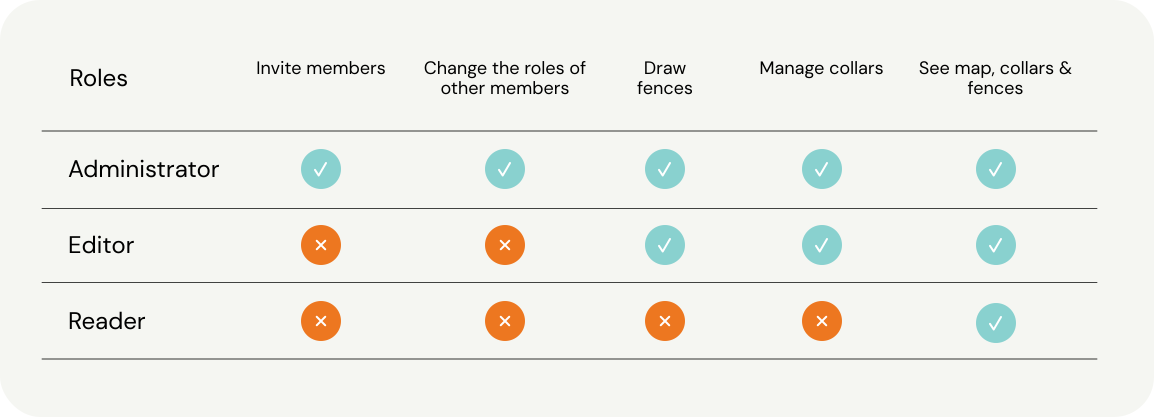
Description of the roles in the app: