Moving animals into virtual fences
When you are moving your animals into a virtual fence, you can choose whether to add them to the fence in the app before or after you move them physically. The animals receive neither audio signals nor electric pulses from the collar when they enter a virtual fence.
Once you have drawn the virtual fence in the app, tap “Move” inside the fence in question. You will then see the following options:
- “Remove”
- “Add”
- “Move”
Tap “Add” and select which animals you want to add to the fence.
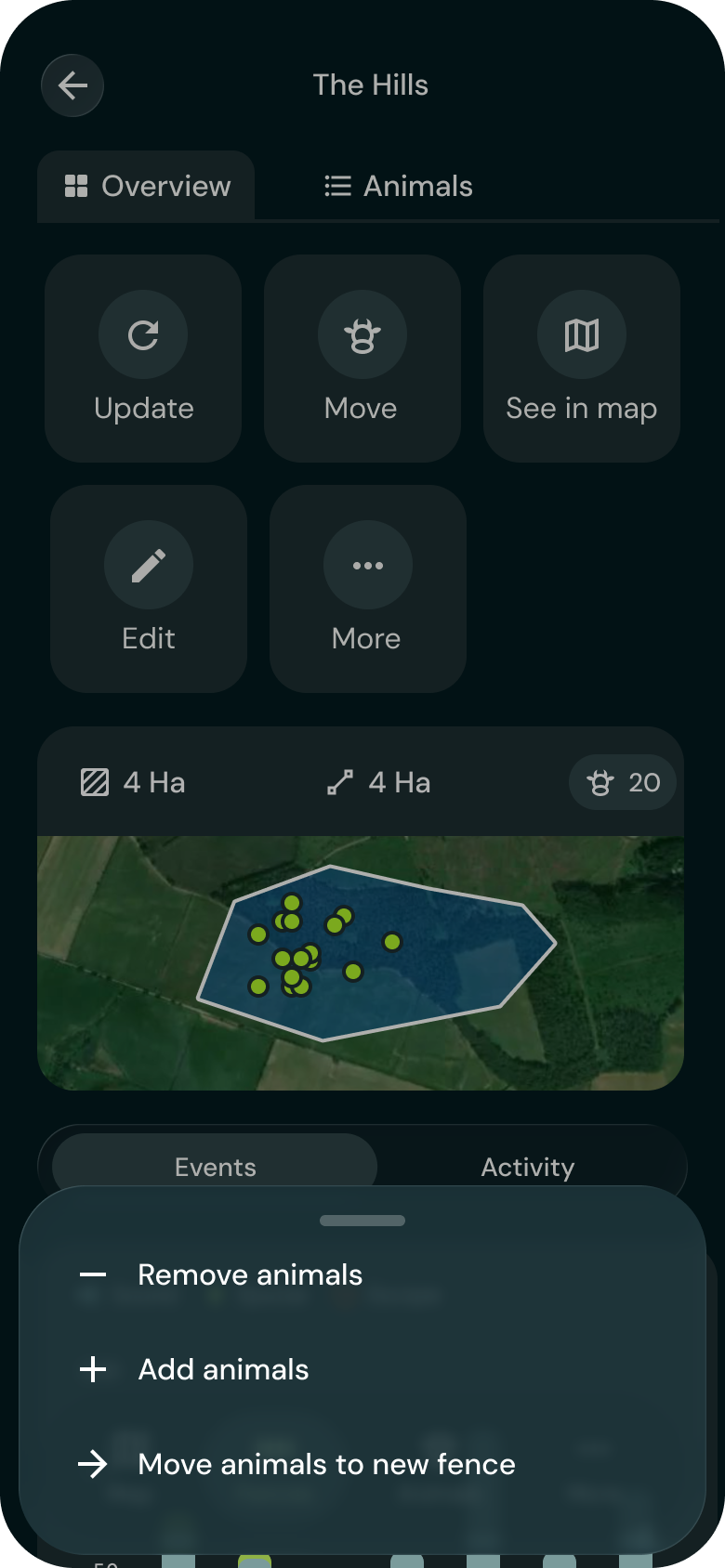
If the animals are outside the virtual fence when you add them in the app, they are shown as red dots on the map (outside the fence). When the animals come inside the fence boundary, the dots turn green (inside the fence).
Moving animals out of virtual fences
When you are moving the animals from one grazing area to another, or simply taking them off a pasture, it is important that they are no longer assigned to the old fence in the app.
If you move the animals physically while the virtual fence is still active, the collar will react in the same way as when an animal tries to escape, with audio signals and electric pulses.
To ensure a calm move without unnecessary signals, you should always deactivate the virtual fence for the animals in the app before you start moving them.
You do this by removing the animals from the fence in the app, or by moving them directly to a new virtual fence.
Transport in a trailer or other covered vehicle
If the animals are transported in a vehicle or trailer with a roof, the roof can block the satellite signals (GNSS) or affect the GPS positioning.
- Deactivate the fence before loading: Remove the animals from the virtual fence in the app in good time before they are loaded onto the trailer.
- Activate the fence at the new pasture: Wait to activate the new virtual fence until the animals have left the trailer and have been under open sky for a few minutes. That gives the collars time to find their position before the fencing function is activated at the new location. Check that the animals are shown as green dots on the map in the app.
Moving animals through dense vegetation or forest
If you move the animals through areas of dense forest or deep valleys, the GNSS signal can be affected and the positioning may become less reliable.
Remove the animals from the virtual fence in the app before the move: If you are going to drive the animals through dense forest where they do not normally stay, we recommend that you deactivate the virtual fence for the animals before you start moving them.
That way you avoid the animals receiving unwanted signals if the positioning of the collars temporarily becomes less accurate because of the dense vegetation.