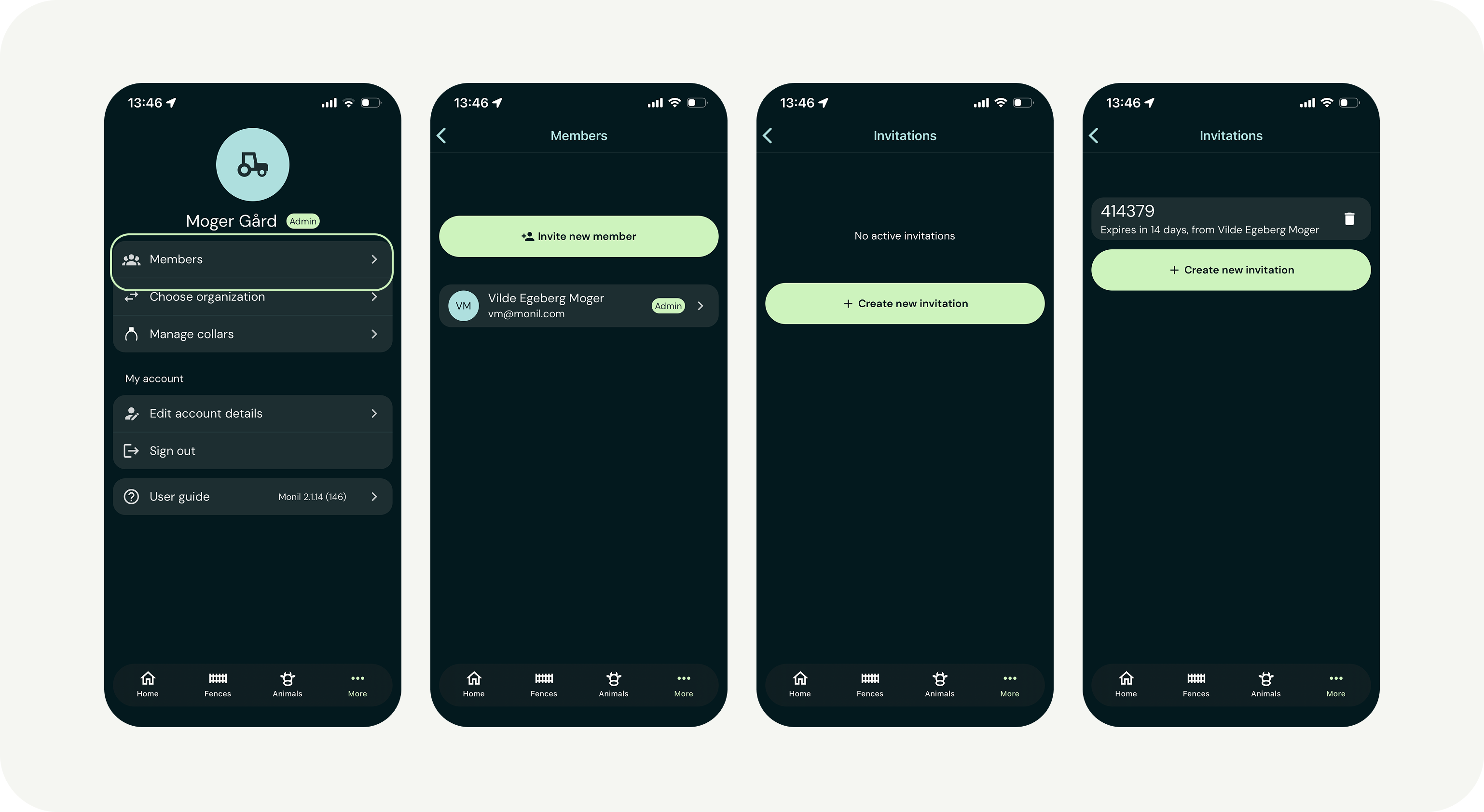
Inviting someone to your organization
- Tap “More” in the bottom right corner of the app.
- Select “Members.”
- Tap “Invite new member” and then “Create new invitation.”
- Share the invitation code with the person you want to grant access.
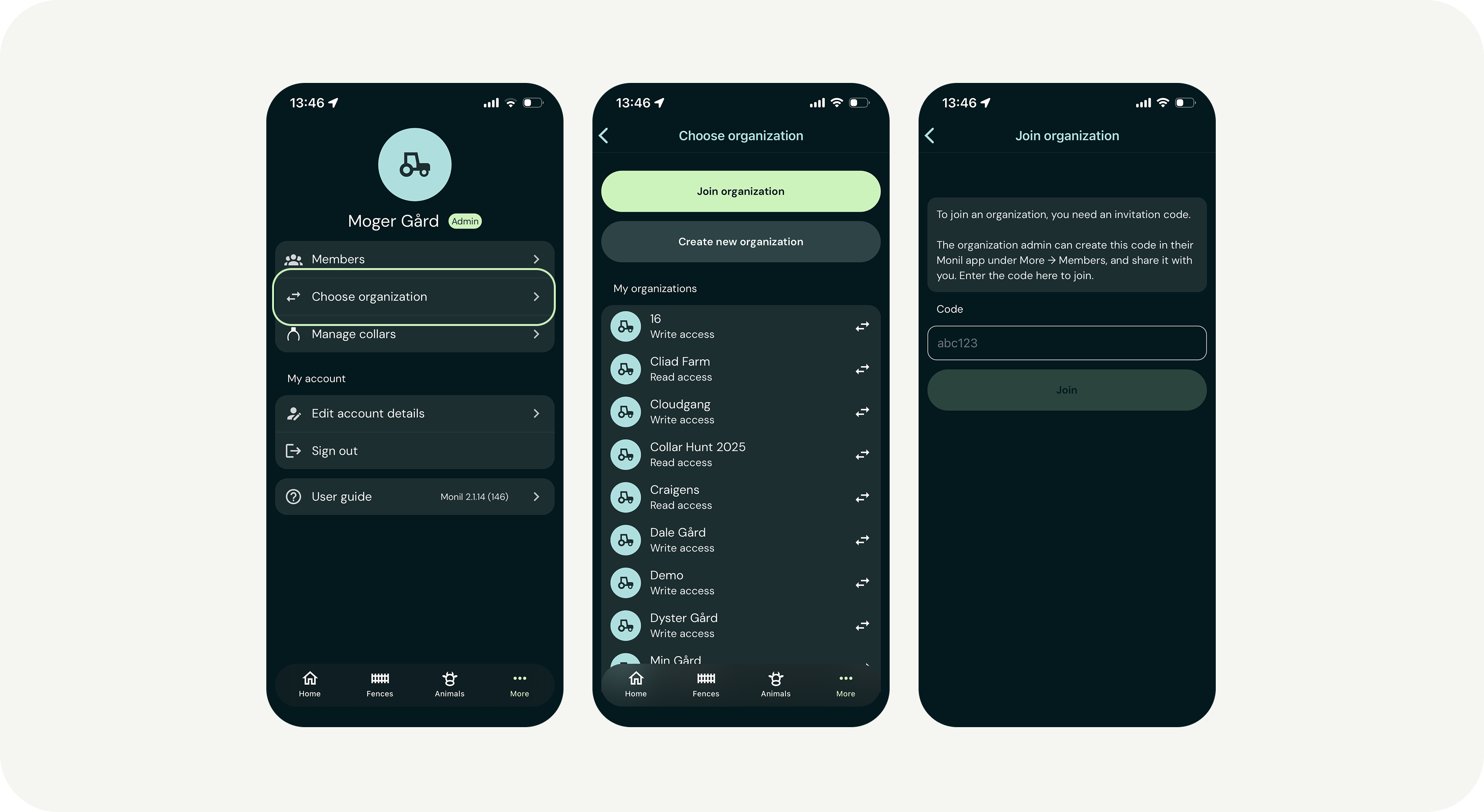
If you are invited to join an organization
- Download the app and create your own user account.
- In the app, tap “More” → “Choose organization” → “Join organization.”
- Enter the invitation code you received.
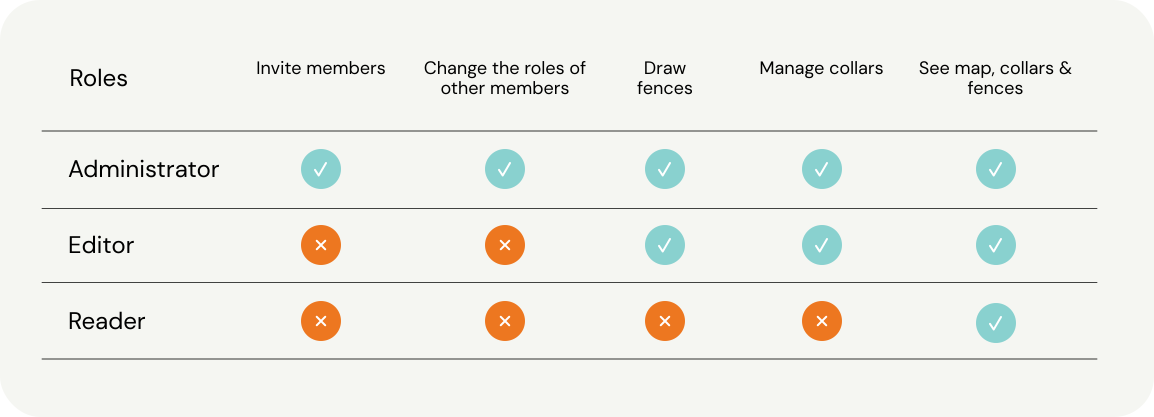
Description of the roles in the app