1. Download the app to your phone
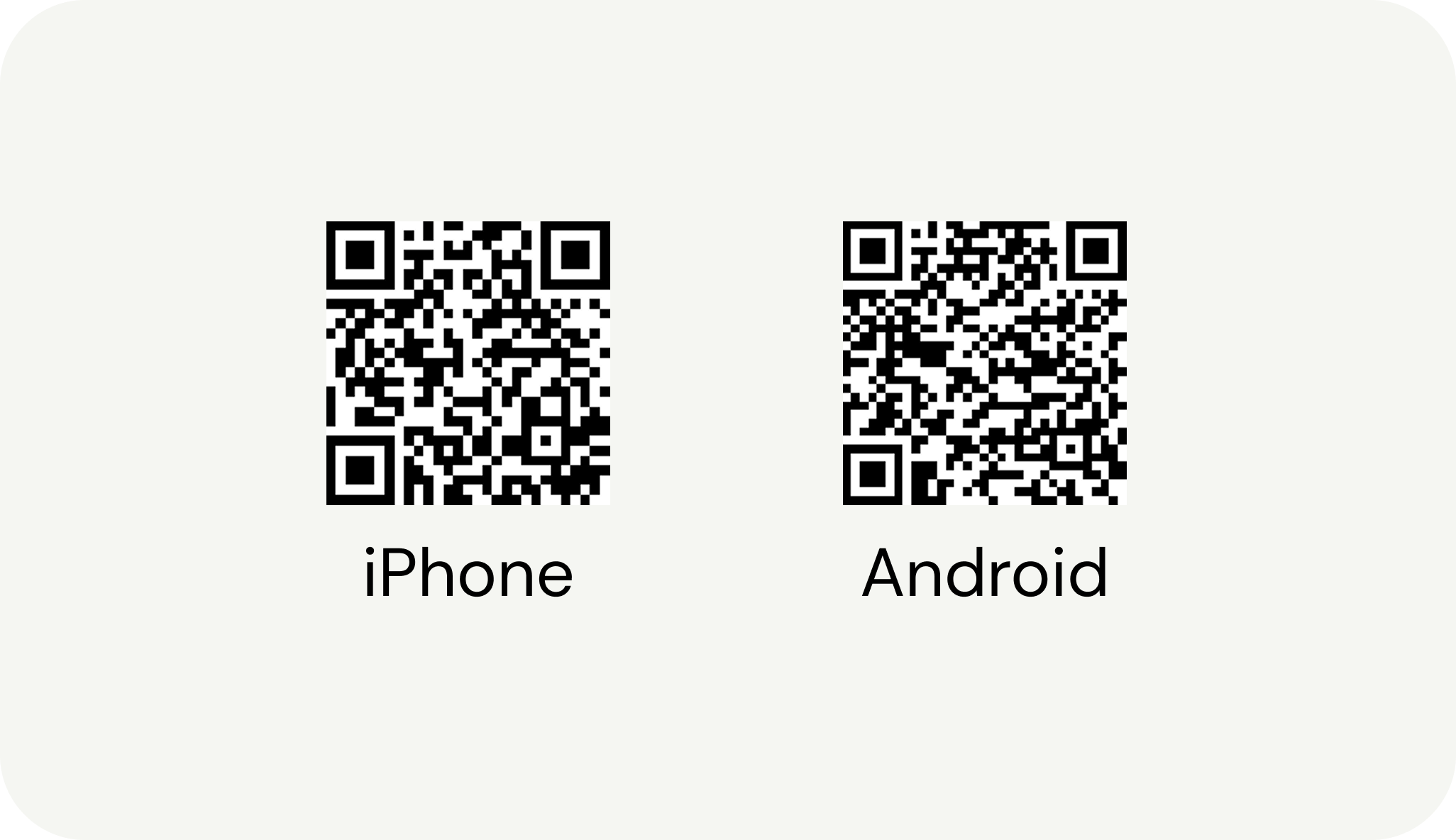
Scan the QR code below to download the app from the App Store or Google Play.
2. Create a Monil user
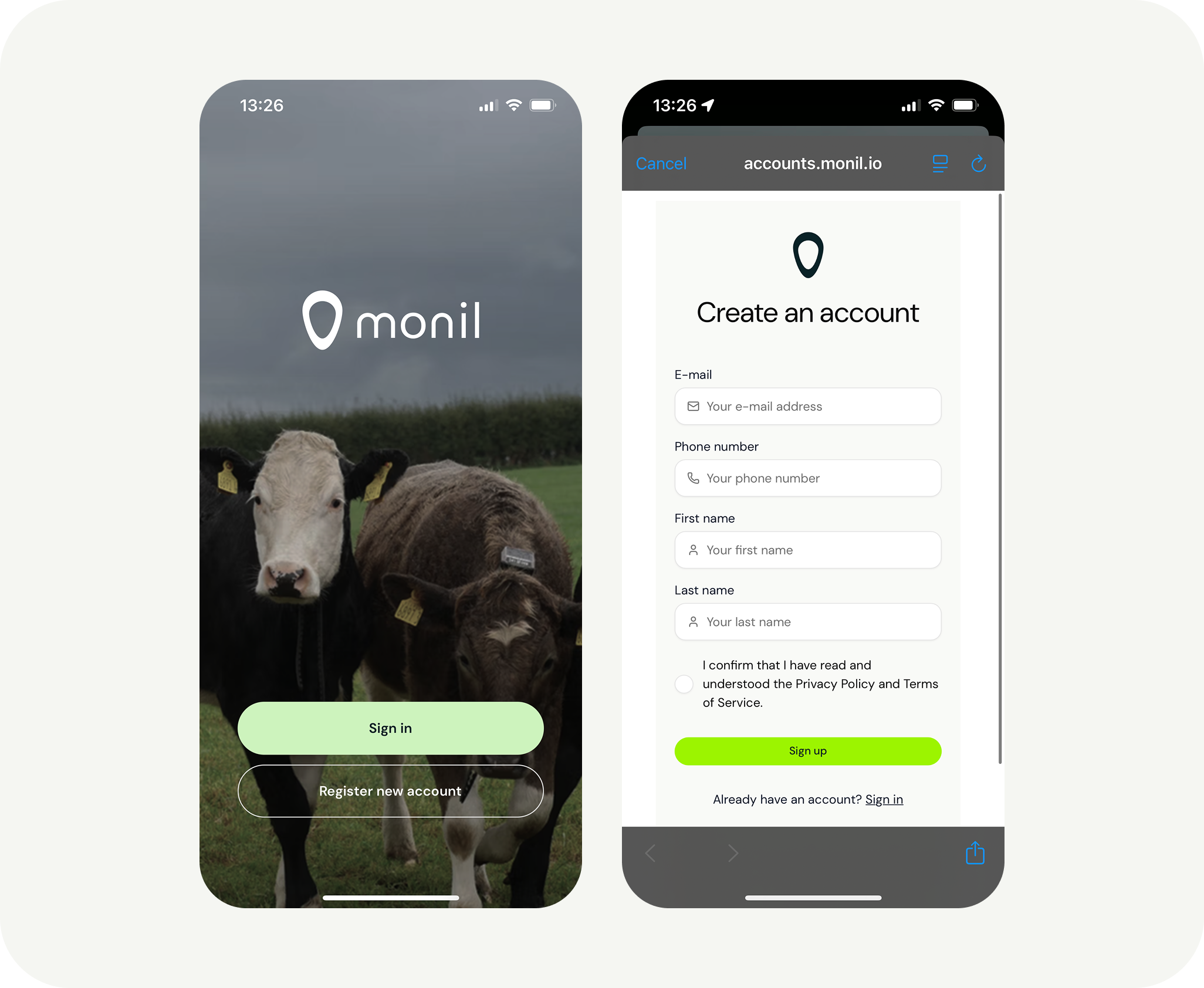
The first time you log in, you need to create your own user account. Start by clicking “Register new account”. Enter your name, email address, and phone number.
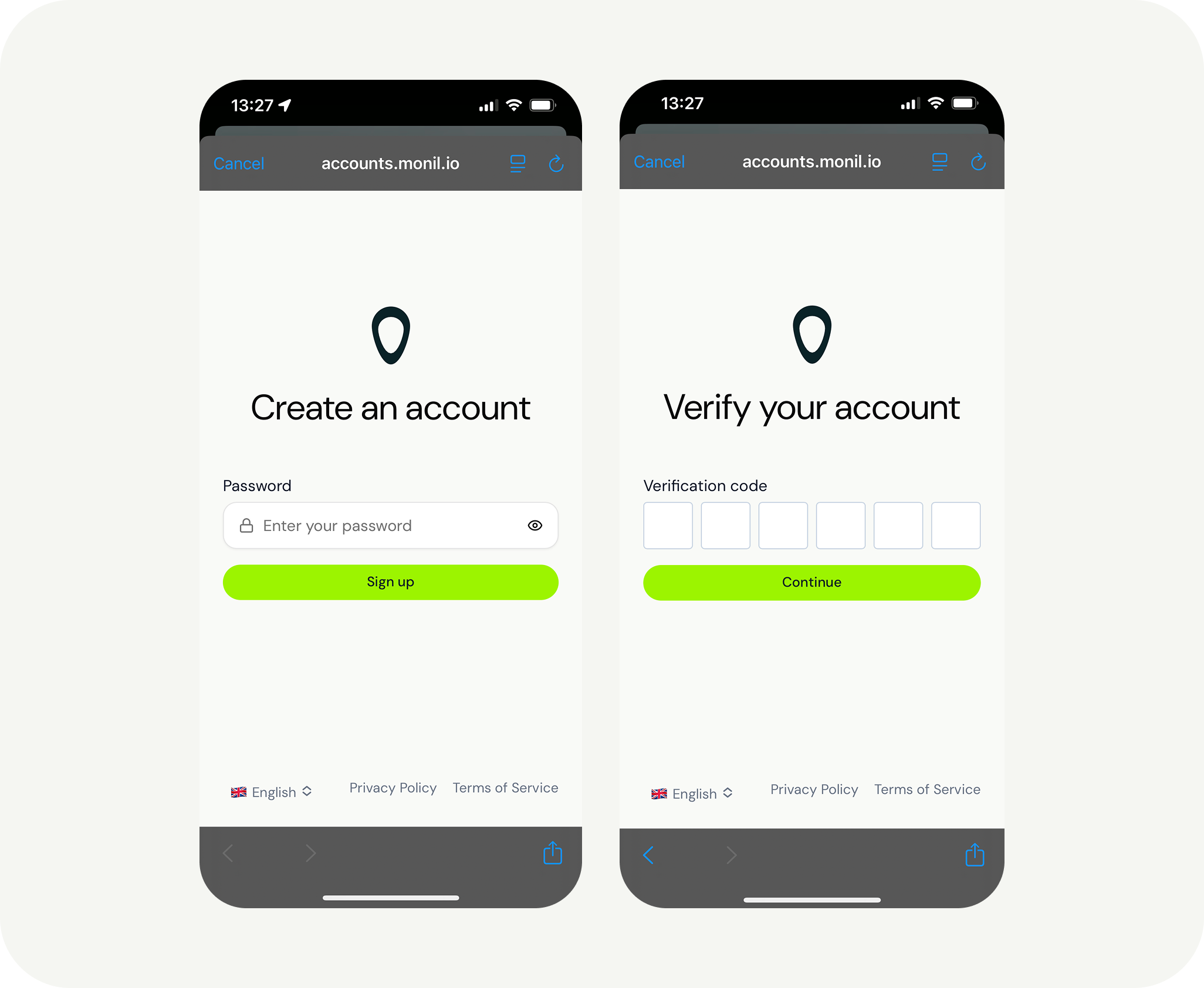
In the next step, you can create a password or use passwordless log in. After that, you will receive a verification code at the email address you registered with. Enter this verification code in the final step.
3. Join an Organization
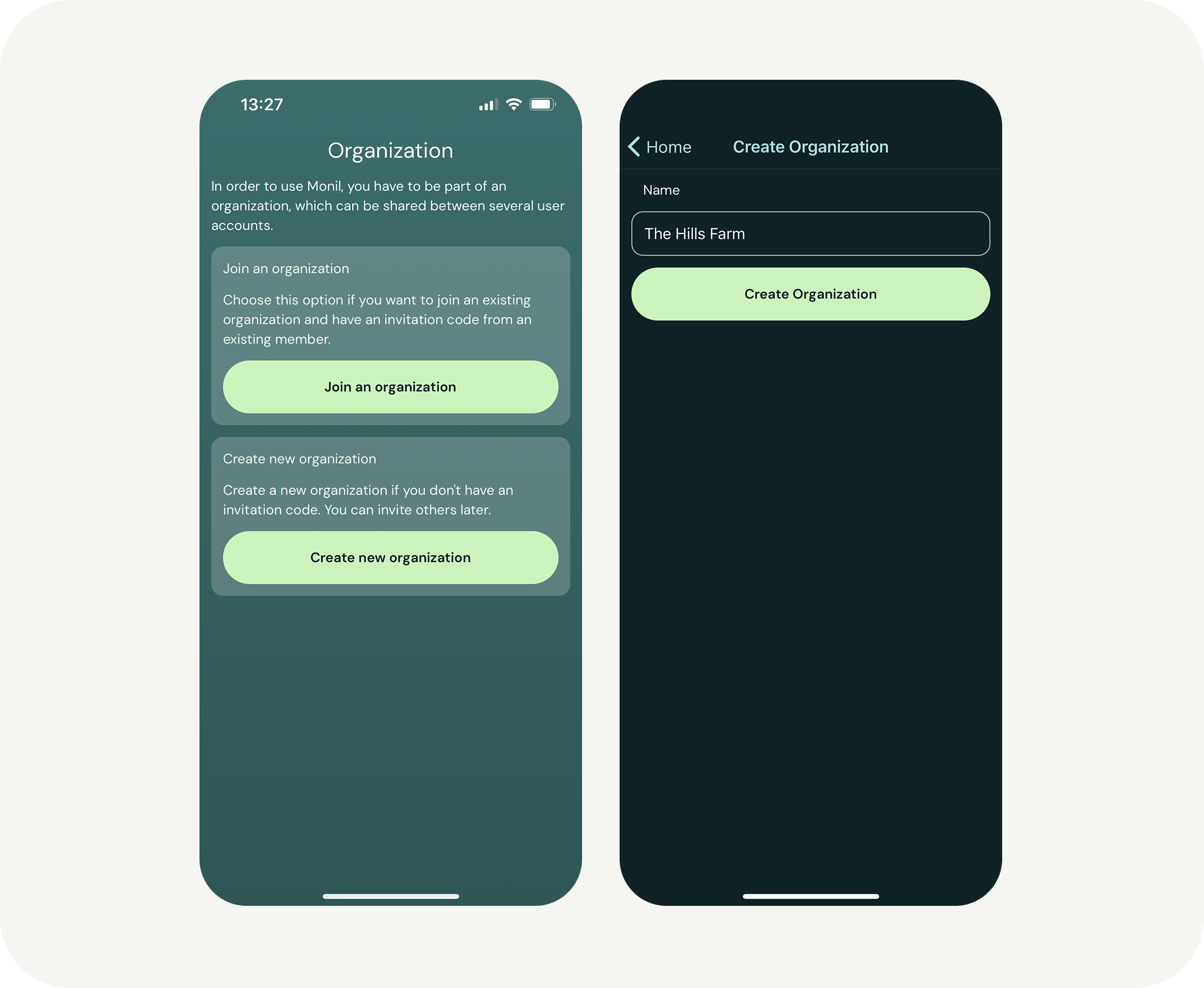
Next, you’ll have two options:
- Join an organization
- Create an organization
If you signed into your Monil account with the same email you ordered collars with, your organization will appear after you select “Join an Organization”. If you’re joining an active organization as a secondary member, the administrator of that organization needs to send you an invitation code after you have created your own account. This is done in the app under “More” and then “Members.” If you have not ordered collars directly from us, you will create your own organization. You can set the name to be the same as your farm’s name.
You’re now ready to turn on the collars!