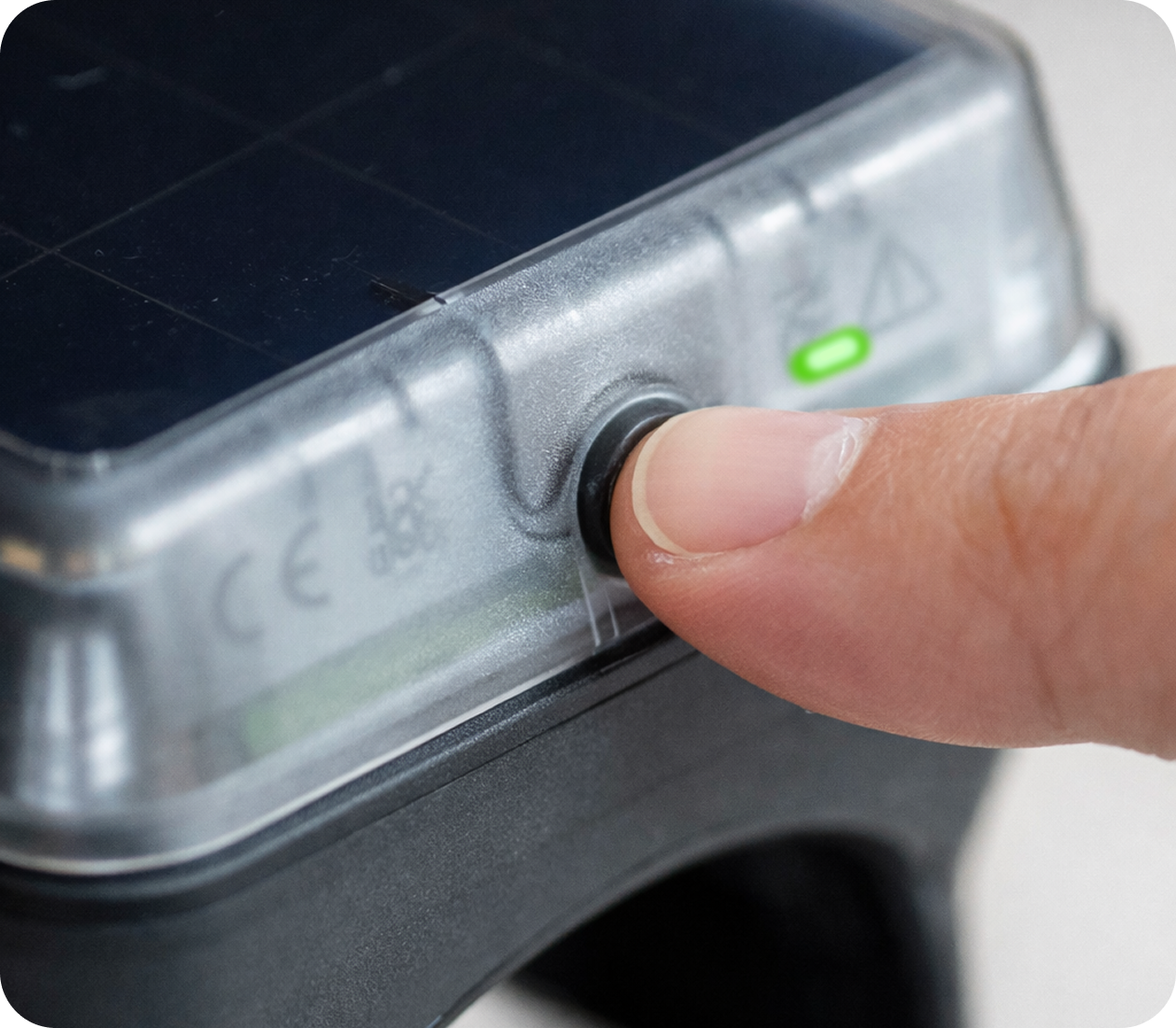
1. Turn on the collar
To turn on the collar, press and hold the button on the back. When the light flashes green, the collar is turned on.
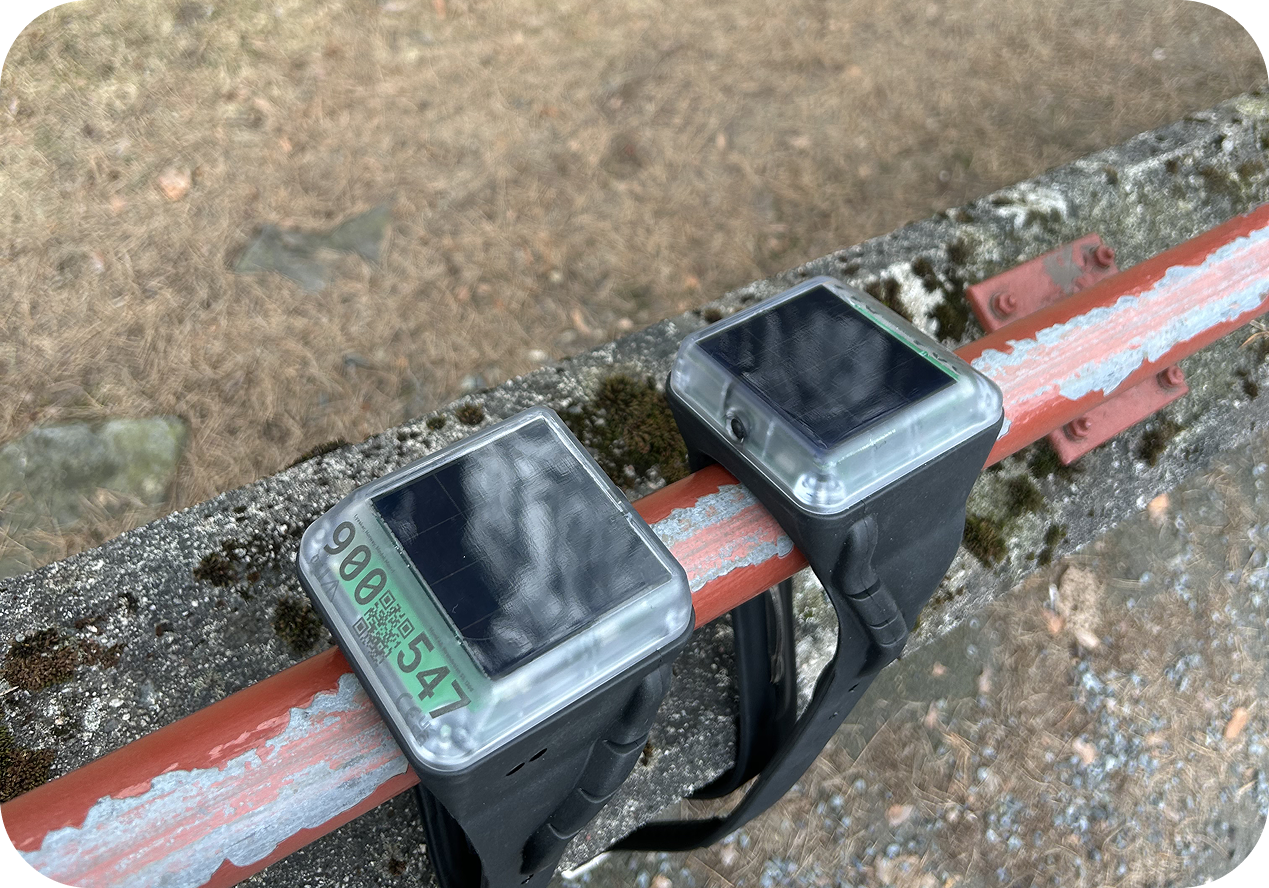
2. Charge the collars outdoors
After turning on your collars, we recommend placing them outdoors to fully charge before mounting them on animals.
3. Add the collars to the app
Please note that collars purchased through the Monil webshop are automatically added to the app if you use the same email address in the app as you used when purchasing the collars.
If you still need to add collars manually, follow this guide:
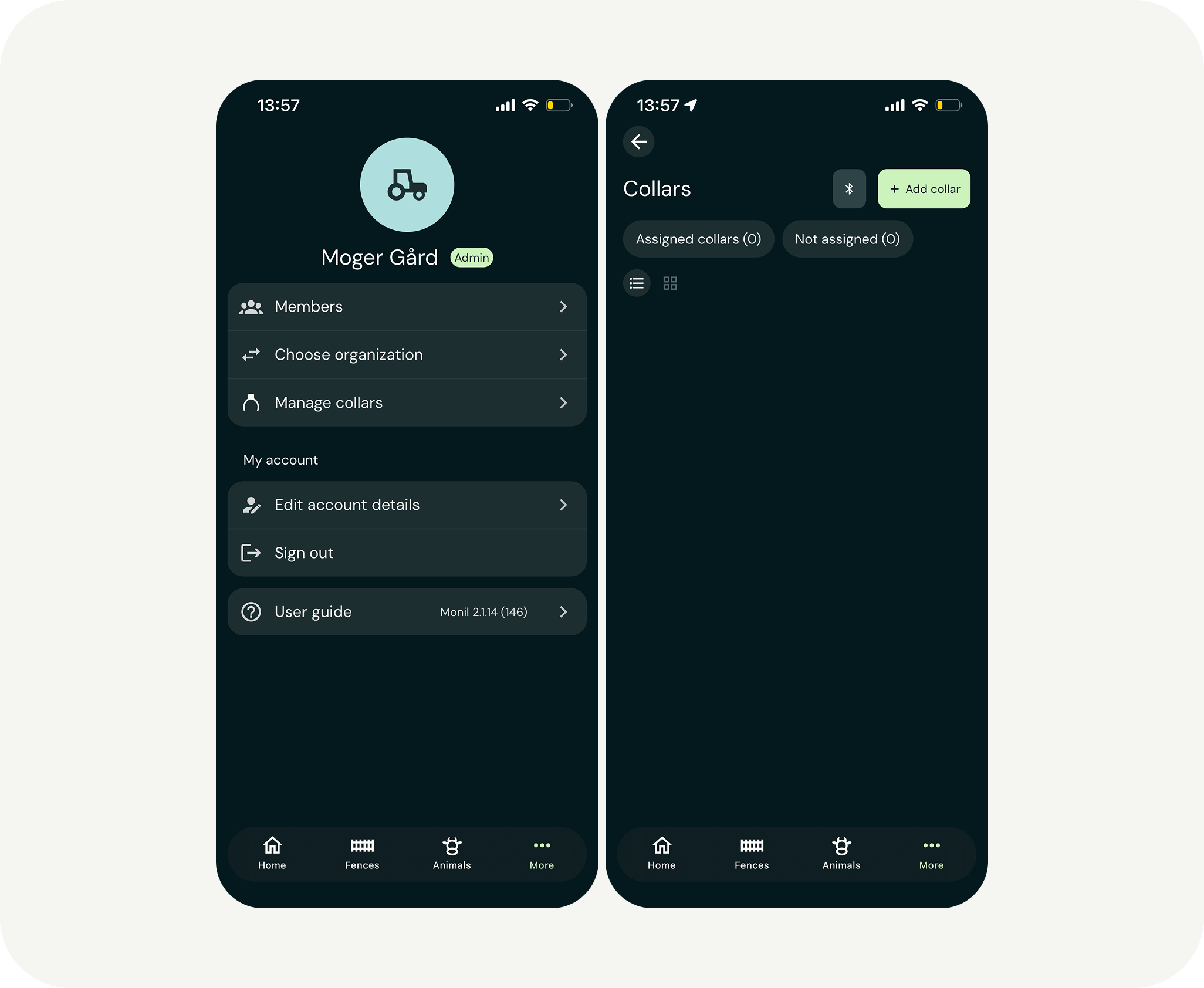
- Tap the three dots in the bottom right of the menu where it says “More”.
- Then, select “Manage collars” and “Add collar”.
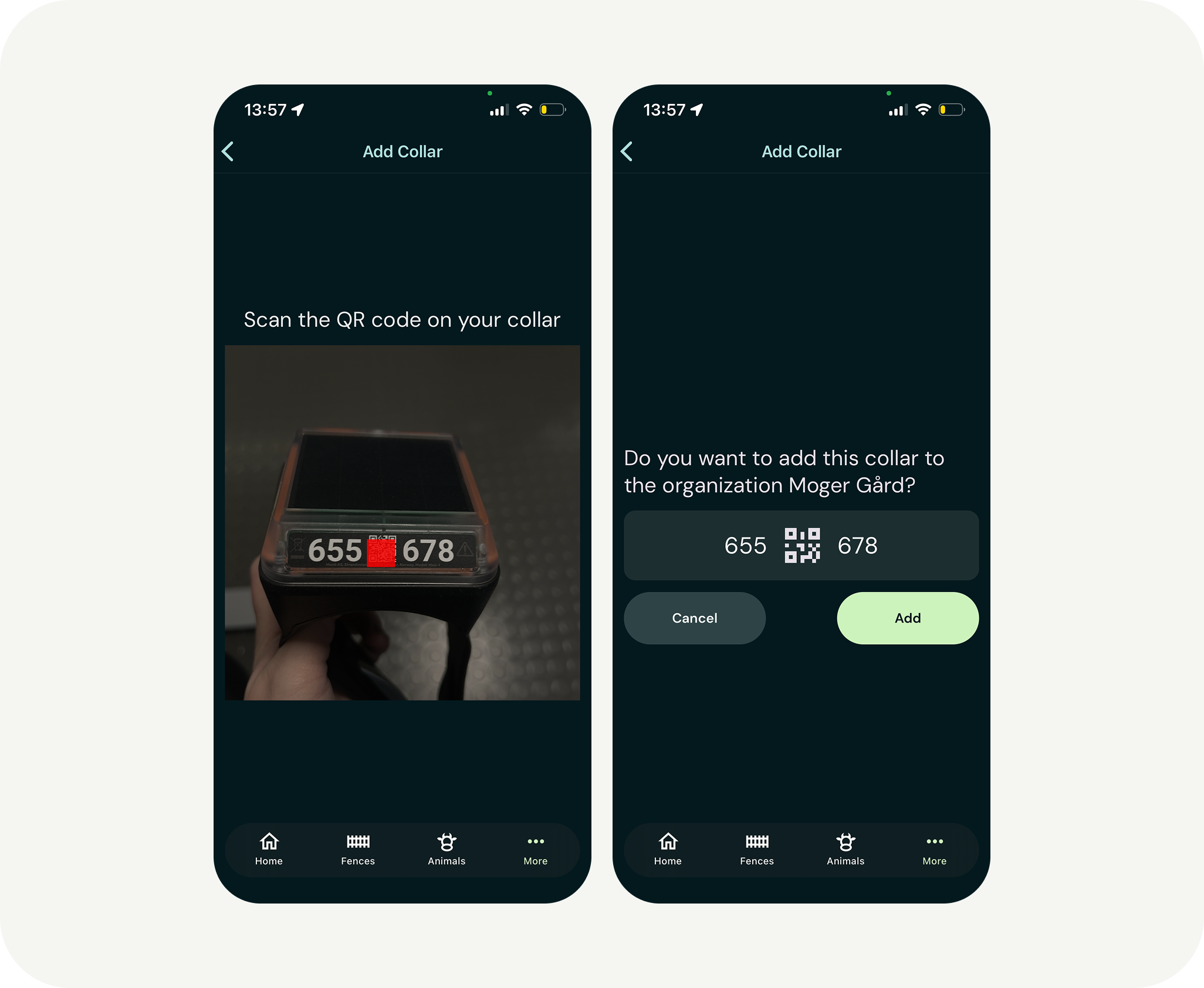
You can now scan the QR code of each collar. Press “Add“ to add it to your app.
You’re now ready to attach the collars to your animals!
Click here to read more about mounting collars